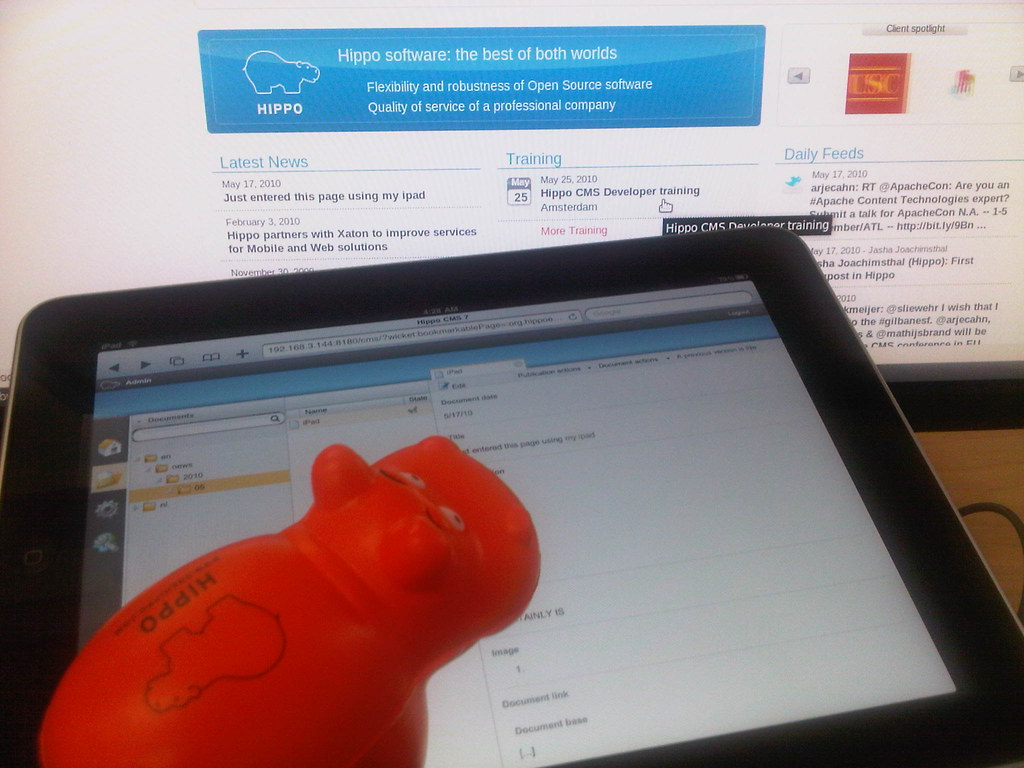
There's a Hippo on my Ipad
Okay, okay, so it won't be your favorite editing tool, but the Ipad surely looks a lot cooler with a Hippo on it!


Smoothly going through a Hippo CMS project
Jboye 2010 has come to an end. The Jboye conference is about getting CMS expert users, analysts and vendors together. The central idea is to learn more by communicating openly. This means I shouldn't too obviously put marketing messages in my sentences, so you can have interesting discussions and get to the point.  I like this idea since it's very close to communicating in an open source project. A project like Hippo CMS for example, the best and most user friendly CMS in the world, especially if you have huge amounts of content. Java developers love it. By the way, here's one of those cute Hippo toys.
My first day at the conference I selected a tutorial course about rapid prototyping by James Hobart. Prototyping helps in getting expectations aligned quickly. It's not all that easy to turn the ship around once it's close to the harbour, so it makes sense to make a prototype early in the project. It's an investment, but a very important one.
That's why prototyping combined with SCRUM became a common practice at Hippo. I don't want to keep all the success to myself, so I'm sharing a couple of best practices for a Hippo CMS project in this blogpost. If anything is too technical, please say so. If you think you do it better, please share. If you don't know SCRUM, this is a very fast video introducing you to it under 10 minutes. A sprint takes about two weeks depending on the size of the project and your personal preferences. In small projects a sprint and a phase is the same thing. In larger projects a phase takes one or more sprints.
The business case
The most important part of a project is not part of the project. It's about getting your business case straight. A question you should ask yourself: why are we actually doing this? Which audience do we target and what value does it have for our business. In other words: describe your targets. Once this is clear, don't forget to share your carefully designed ideas. I share the business goals and targets with everyone participating in the project. Even when it's unessential for someone's day-to-day job. In the end this understanding delivered better and more consistent projects. At Jboye I had the pleasure to meet Christine Pierpoint. She had inspiring ideas you should take into account before starting a web project and in this video some of these interesting thoughts will come to you.
The design phase
The (user action) designers can take on the business case and start designing: screen-shots, scratches, wire-frames, anything concrete. Details are not important yet. Keep your focus on the absolute minimum the project needs to go live with. The reason I always focus on the bare minimum is because a) it's nice to get fast results, b) search engines can start indexing your website, c) your marketing people can get going, d) it's easier to end up with something, surprisingly this is not straightforward . A Hippo project has a very solid foundation, so don't worry about adding modules and features after going live. That is, if you make sure you have some Hippo certified developers on your team.
A clickable website
The goal of this phase is to get a real website with HTML, javascript and CSS up and running. No connections to any database or repository. Just plain text, easy programming. I don't like latin texts in a design, because people don't seem to understand what these "lorem ipsum" texts are about. It's confusing, so better use good examples or even texts describing the sort of content that should be there. A functional design can be helpfull for details, but nothing beats having a go at something similar to the end product. I make every link clickable, to make sure the interaction is clear. The clickable website will give you valuable feedback fast. Developers, designers, managers, editors and end users can all have conflicting ideas. Discussions in this phase are necessary. Don't avoid them, but end up with conclusions everybody agrees upon. Your clickable website will help you focus.
About the tools used for a clickable website:
Hippo developed guidelines to make the web design extensible and accessible, however Hippo CMS doesn't impose any technical restrictions on your web design. You're really free to do whatever you're used to do. My team usually creates a simple maven project, use svn for versioning, jsp for coding and jetty to run it all. We created a lot of code snippets for paging, calendars, faceted navigation, related items, forms, header and footer templates, etc. Hippo has support for any javascript library you would like to use, although we tend to use jquery. Don't use more than one javascript library. It ruins your performance. Because projects requirements tend to change all the time during this phase your precious code turns into spaghetti quite easily. That's why we usually keep the clickable website as a seperate project. You can take a different approach and use your own tools or use Hippo Site Toolkit from the start.
The content model and architecture
While frontend developers, end users and business people are getting together to focus on the look and feel of the website, extranet or intranet. The analysts can work on the content model and architecture. You can start at the same time the clickable phase starts and of course there's some overlap. Take your time during this phase to get a good overview of the content model. It's essential for any CMS project. I like to use an excel sheet to describe all the templates, but anything will do as long as it's clear. A news page for example can have a title, a date used for sorting, an introduction, a rich text field, a multiple thumbnail picture or whatever you would like it to have. Don't forget to describe metadata. A simple website has a couple of templates, for example a news template, a simple text template, a template for adds and so on. Define them. Hippo CMS is content driven, so you're defining content types, not web pages.
Next to the model, it's smart to define a good way to structure the actual content in folders, so make a basic setup with a folder for news items or a folder for the communication department depending on your preferences. Editors have an opinion about this, so ask them. The way you structure your content doesn't have to be the same way you structure your website. In Hippo Site Toolkit you can query the content anyway you like. Questions to help you get your answers: Where does each type of content come from. Does the content come from an external source like a webservice or rss feed? Which groups of editors add which content, for example do you have a group of people only editing news pages? If that's the case you help editors a lot by only showing the news pages in Hippo CMS. It's more user friendly and secure.
Hippo CMS and data entry
Because of the Hippo CMS architecture, you can first get Hippo CMS up and running and later further develop your website. This means content migration can take place first and editors can start entering content before the project is finished. That is, as long as you have your (test / acceptance) servers up and running. Even though Hippo CMS is very user friendly, a training course and custom documentation for editors can help to get going fast and consistent. The training material can also be used for writing guidelines. Do you have to migrate a lot of content and you're stuck with tons of xml files? This tool comes in handy. Changes in your content model are more expensive from this phase onwards, but not impossible. If you need to make a change, do it, but only if you're sure you really need it. More info for developers on: http://www.onehippo.org/.
Adding features and phases recursively
Your project is growing and growing and soon your real website starts to look better then your clickable website. You can add sprints until the end of your project's lifecycle, so don't put too much pressure on the first time you enter the world wide web.
Champagne
I congratulate you for reading this and hope you share a glass of champagne with me once your own Hippo CMS project goes live, so feel free to contact me even if it doesn't go as planned. We wouldn't leave you out in the cold. For guarantees and a healthy relationship Hippo offers support. 
Limited choices

I don't like to make choices. For me the best choice in life is - no choice at all. For example: I like to drink coffee. Any kind is fine. Still I get questions: Do I want the coffee with a touch of frost that gives a dreamy feeling on a lazy afternoon thanks to a selected combination of superbly engineered beans made by an ancient line of distinctive coffee entrepreneurs? Or maybe I would just go for the high-quality coffee which maintains endurance in taste while ensuring a fresh, consistent kick every time I hear the sound of a whisper? I don't know... just give me strong coffee without milk or sugar. And why don't you try to make it yesterday?
Hi, my name is Mathijs Brand and I'm a Hippo business consultant / project manager. I've been working with customers and partners on Hippo projects for the last couple of years. I'll use this blog to tell you a bit about my experiences. Also I hope to show you some of the nice solutions we've come up with.
So maybe I was overreacting with the coffee. And I can understand why we're acting the way we are: it's harder for people to reduce options then just handing them out. Reducing options means making a choice yourself. If limiting options is hard for all kinds of features in the real world; it's even harder in the software world where options are virtually endless.
So why don't we give it a little effort? Try and define your audience. Find out what they are allowed to do or what they just don't want to see. Luckily - once you're done with the analysis - it's pretty straightforward to configure these options in Hippo CMS.
An example
Suppose you have a lot of very specific technical documents lying around. A few people are asking for them, but most don't find them very interesting. Just uploading all these documents to your website can easily end up in chaos like the picture below:

hmm... what button should I push?
Less is more
Let's say you want to do it right this time. Your editor wants to type a news item about cats and dogs. She doesn't want to see all these buttons and folders she can't do anything with. So give her a nice and quiet interface to give her more focus on the contents of the message.

In the above picture the editor just has a couple of options. In the news folder she can only add news items.
On the other side of the spectrum is your site administrator. He wants to be able to go through all of the advanced features managing your site. He likes to configure the rss feeds, widgets, overview pages, pdf's, portals and websites. He makes sure the news item automatically ends up in all of these media types. He likes to see how much memory his server has got and which java version is running. So hand him the buttons...

The administrator has lots of options.
The same kind of options can be given to people visiting your website. With metadata you can define which documents are interesting for which audience. You can also guide your audience through some questions and answers to find out their information needs. With a personal login you can achieve even more.
Conclusion
Hippo CMS gives you a lot of flexibility to limit choices. In the end reducing options gives your powerful web application the simplicity it needs. So pretty please with sugar on top - use these options - and let's get back to the real question:
Do you want the coffee with a touch of frost that gives a dreamy feeling on a lazy afternoon thanks to a selected combination of superbly engineered beans made by an ancient line of distinctive coffee engineers?
This was a repost, you can find the original post here: Limited choices, however there's not much sense in doing that, since you just read the same thing ;)
Subscribe to:
Posts (Atom)